
This is an old revision of the document!
- dnshijacks
- Jonathan Haack
- Haack's Networking
- webmaster@haacksnetworking.org
DNS Hijacks
1. Static DHCP leases
LuCI → Network → DHCP and DNS → Static Leases. Establish statics for each camera or OIT device, which helps for tcpdump tracking later.

2. Port 53/853 intercept for direct udp on either port
LuCI → Network → Firewall → Port Forwards / Incoming.
- Name: Camera1
- Restrict to address family: IPv4 only
- Protocol: TCP + UDP
- Source zone: res
- External port: 53
- Destination zone: res
- Internal IP address: 172.66.66.150 (ns5.haacksnetworking.org)
- Internal port: 53

Advanced Settings
- Source MAC address:
  80:48:2C:44:C7:7D
  80:48:2C:41:71:78
  80:48:2C:41:69:FF
  80:48:2C:46:0E:C4
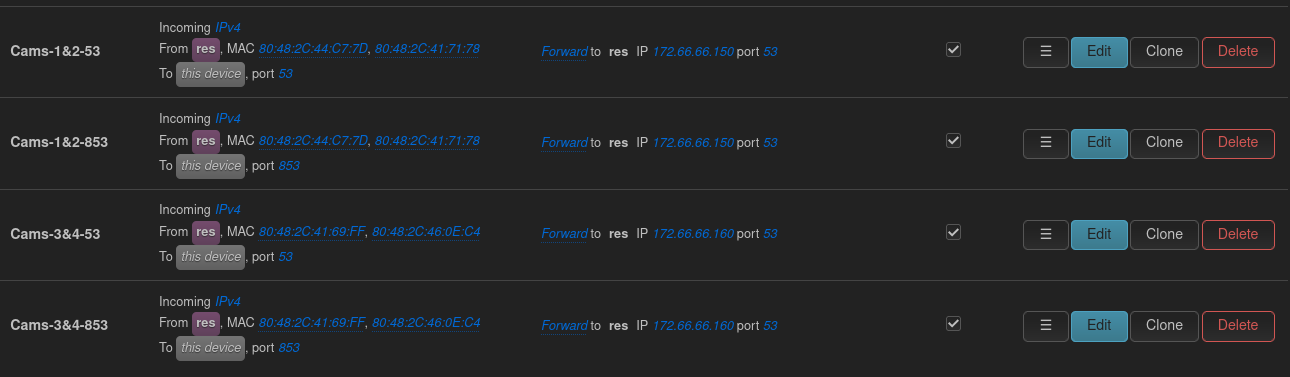
I decided to give the first two cams/OIT devices back to ns5 and the other two cams/OIT devices back to ns6.
3. DoH / DoT drop
LuCI → Network → Firewall → Traffic Rules.
- Name: `Camera DoH`
- Family: IPv4 and IPv6
- From: zone `res`
- Specify the MACs:
  80:48:2C:41:69:FF
  80:48:2C:41:71:78
  80:48:2C:44:C7:7D
  80:48:2C:46:0E:C4

- To: zone `wan`
# Specify that these IPs are blocked (add as needed):

1.1.1.1
1.0.0.1
8.8.8.8
8.8.4.4
9.9.9.9
149.112.112.112
94.140.14.14
94.140.15.15
208.67.222.222
208.67.220.220
185.228.168.9
185.228.169.9
76.76.2.0
76.76.10.0
45.90.28.0
45.90.30.0

- Ports: `443`, `853`
- Action: Drop

Then, once these are setup, confirm using tcpdump on your openWRT router. The basic tcpdump commands to check wan interface (eth1) for leaks:
tcpdump -ni eth1 udp port 53 and '( host 8.8.8.8 or host 8.8.4.4 or host 1.1.1.1 or host 1.0.0.1 or host 9.9.9.9 )'
tcpdump -ni eth1 '(tcp port 443 or tcp port 853 or udp port 853)' and '(host 8.8.8.8 or host 8.8.4.4 or host 1.1.1.1 or host 1.0.0.1 or host 9.9.9.9 )'
tcpdump -ni eth1 ip6 and udp port 53 and '( host 2001:4860:4860::8888 or host 2001:4860:4860::8844 or host 2606:4700:4700::1111 or host 2606:4700:4700::1001 or host 2620:fe::fe )'
tcpdump -ni eth1 ip6 and '(tcp port 443 or tcp port 853 or udp port 853)' and '( host 2001:4860:4860::8888 or host 2001:4860:4860::8844 or host 2606:4700:4700::1111 or host 2606:4700:4700::1001 or host 2620:fe::fe )'
Or, run all at once:
tcpdump -ni eth1 '
  (
    udp port 53 or
    tcp port 443 or
    tcp port 853 or
    udp port 853
  ) and (
    host 8.8.8.8 or host 8.8.4.4 or
    host 1.1.1.1 or host 1.0.0.1 or
    host 9.9.9.9 or
    host 2001:4860:4860::8888 or host 2001:4860:4860::8844 or
    host 2606:4700:4700::1111 or host 2606:4700:4700::1001 or
    host 2620:fe::fe
  )
'
Or, to just check the cameras (use static ips on the restricted zone) traffic in entirety:
tcpdump -i br-lan.179 host 172.66.66.105 or host 172.66.66.106 or host 172.66.66.107 or host 172.66.66.108 -n
Or, just check outbound 53 / 853, direct udp:
tcpdump -i br-lan.179 host 172.66.66.105 or host 172.66.66.106 or host 172.66.66.107 or host 172.66.66.108 -n | egrep '(\.53 |\.853 )'
Or, check 443 and 853 while stripping the okay stun/turn they need for the app:
tcpdump -i br-lan.179 host 172.66.66.105 or host 172.66.66.106 or host 172.66.66.107 or host 172.66.66.108 -n | egrep -v '(\.443|\.3478|\.8883|ARP)'
You have to run tcpdump and bird's eye look at the pihole dashboard initially. You will suddenly see that the direct DNS udp/53 it runs to 8.8.8.8 and 8.8.4.4 that are widely reported are now being intercepted. You confirm on tcpdump by checking the wan outgoing … to see if anything gets by. You can tell on the piholes because initially you won't see any domains, but as soon as you set up the forwards correctly, you will get a slew of domains popping off:
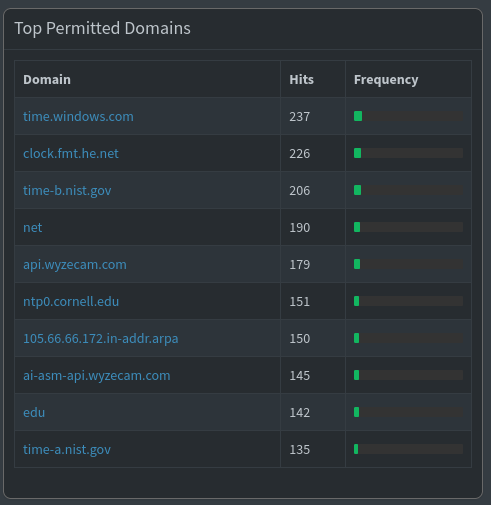
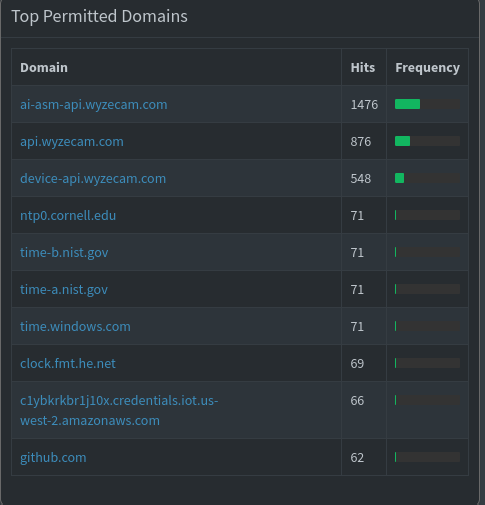
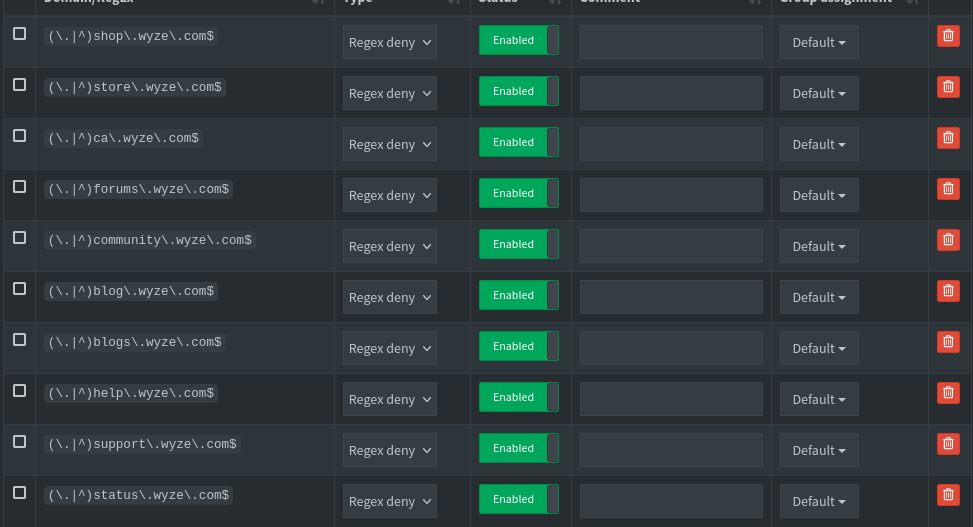
For whatever reason, the cams are using FOUR timeservers. I left the .gov one and blocked the rest. No issues. You block those in the domain section of the piholes. Also, before I began, I blocked the following in pihole's domain section. I got these from forums / online resources. So far, the cams have not pinged any of these, but better safe than sorry:
Alright, this is an improved version of my prior setup, dedicated to Bender.
— oemb1905 2026/09/06 02:05


